• Home
  • MAC
  • Virtual Machines
    • VMware
    • VirtualBox
  • Windows
  • Linux
  • Downloads
    • ISO Files
      • Open Mamba ISO
      • AnduinOS ISO
      • Windows 7 ISO
      • Windows 11 ISO
    • macOS DMG
    • macOS ISO
    • macOS VMDK
    • VMware Workstation Pro
    • macOS Unlocker
    • DirectX 12
    • MSI Afterburner
    • Hyper-V Server 2019
  • Others
    • Android
    • Discord
    • iOS
    • Internet
GEEKrar
  • Home
  • MAC
  • Virtual Machines
    • VMware
    • VirtualBox
  • Windows
  • Linux
  • Downloads
    • ISO Files
      • Open Mamba ISO
      • AnduinOS ISO
      • Windows 7 ISO
      • Windows 11 ISO
    • macOS DMG
    • macOS ISO
    • macOS VMDK
    • VMware Workstation Pro
    • macOS Unlocker
    • DirectX 12
    • MSI Afterburner
    • Hyper-V Server 2019
  • Others
    • Android
    • Discord
    • iOS
    • Internet
No Result
View All Result
  • Home
  • MAC
  • Virtual Machines
    • VMware
    • VirtualBox
  • Windows
  • Linux
  • Downloads
    • ISO Files
      • Open Mamba ISO
      • AnduinOS ISO
      • Windows 7 ISO
      • Windows 11 ISO
    • macOS DMG
    • macOS ISO
    • macOS VMDK
    • VMware Workstation Pro
    • macOS Unlocker
    • DirectX 12
    • MSI Afterburner
    • Hyper-V Server 2019
  • Others
    • Android
    • Discord
    • iOS
    • Internet
No Result
View All Result
GEEKrar
No Result
View All Result
Home Windows

How to Install Windows 10 on Android Without Root/Computer

Ali by Ali
January 30, 2024
in Windows
3
How to Install Windows 10 on Android Without Root Computer

How to Install Windows 10 on Android Without Root Computer

53
SHARES
747
VIEWS
Share on TwitterShare on Facebook

In this post, I’ll show how to Install Windows 10 on Android without root or without computer. From installing macOS with VMware and VirtualBox to developing apps and beyond, Windows is the solid option for operating them all. While Windows 10 is the most powerful and at the same time, the most useful operating system, installing it is also one of the easiest things we’ve ever done compared to installing other operating systems even installing macOS in Windows is pretty easy. While installing Windows 10 might be risky for some, it’s pretty easy to install Windows 10 on a virtual machine. But better than that, what’s more interesting is to install Windows 10 on Android without root or computer involved. How to Install Windows 10 on Android Without Root/Computer.

Just like installing macOS Catalina or macOS Mojave on Windows, you might have thought of adapting Windows 10 over away. But the question still remains unanswered to where. It’s pretty known to everyone that installing Windows 10 is almost possible on every computer even Mac and any other computer we’d want, but out of those, where we could install it elsewhere. So here’s an option we’ve left to install Windows 10 on Android.

  • Related: Install macOS Catalina on VirtualBox on Windows PC

With the high-end mobiles which have at least over 8GBs of memory and 64GB of storage, we’ve a pretty solid computer right. But still, they’d be the smartphone you assume which wouldn’t be able to do most things a computer does. For instance, installing other operating systems, graphic designing, video editing, developing apps, and more. There are lots of things which a smartphone mightn’t be able to do what a computer does yet but still, there are a few things which a smartphone can do from the stuff what a computer does. One of those is install Windows 10 on Android without root or computer. We’ll show it in a moment with shots. In this tutorial, I’ll show how to install Windows 10 on Android, any device, any version without rooting or doing from computer, none of them, so here’s how to do it.

Table of Contents

  • Install Windows 10 on Android Without Root/Computer
  • Step One – Install JPCSIM From Play Store
  • Step Two – Install Windows 10 on Android

Install Windows 10 on Android Without Root/Computer

Just like virtual machines, installing Windows 10 on Android requires a powerful smartphone which could power the Windows 10 from its resources that would be assigning a slice of its storage, memory, power, and a few more. For this purpose, we’d use a third-party application which isn’t supported or authorized by Google or Microsoft. This might have some risk involved but this doesn’t mean definitely it will harm or mess things up. In some cases, like lack of power like storage or memory or lack of any other thing might make some problem but that’s a usual thing that every procedure does if there’s lack of something.

Except those, we’ll install Windows 10 on Android beside Android OS, similar to dual-boot on a computer which will allow to use Windows 10 and Android OS both. For caution and making everything safe, we’d recommend taking a complete backup of your Android device before. Taking a backup of your phone is pretty easy with Smart Switch or other apps.

Step One – Install JPCSIM From Play Store

The first and foremost step we need to do is install JPCSIM which will help run Windows. The installation is easy and quick.

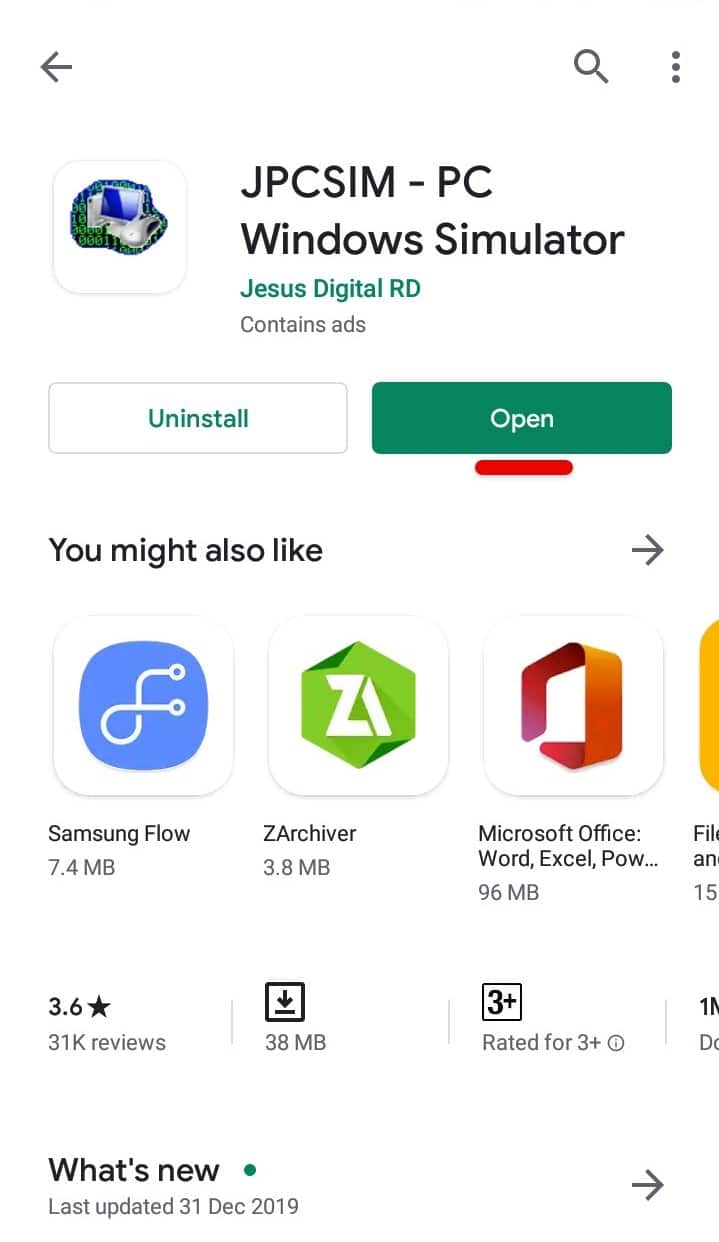
Simply head over to the Play Store and search for JPCSIM and click on Install.
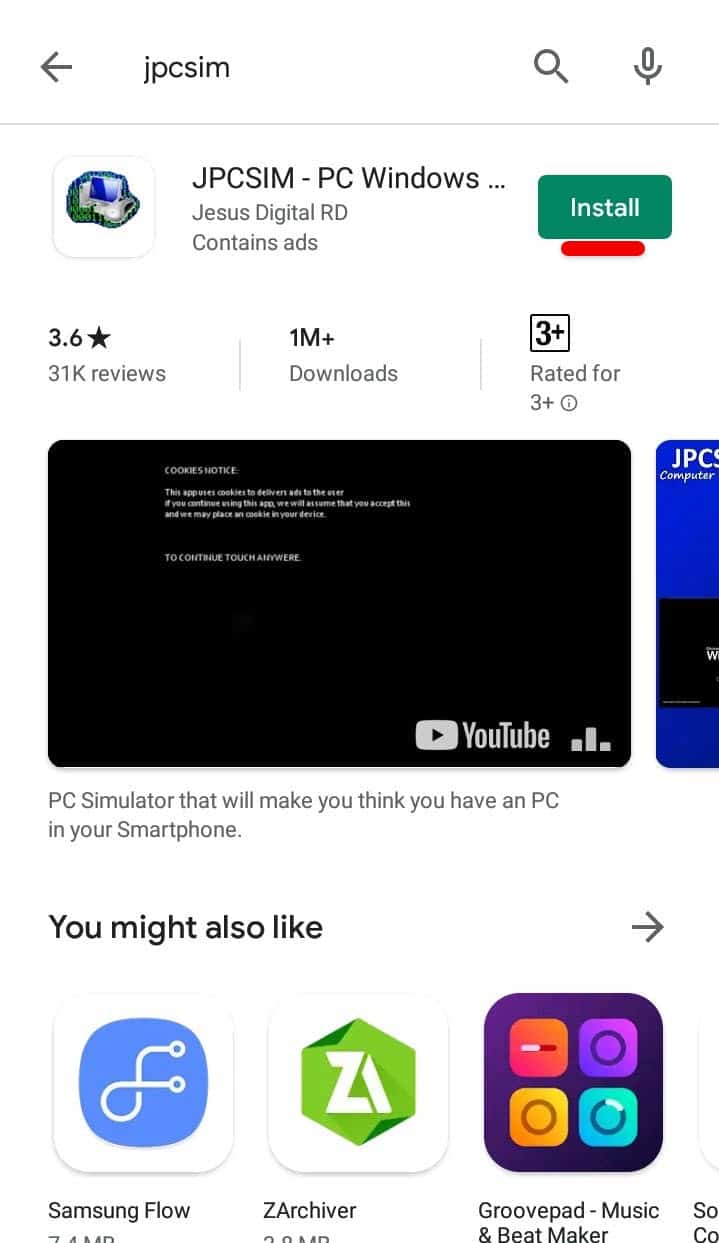
 

Install JPCSIM
Install JPCSIM

Once it’s finished, click on Open.

Open App
Open App

Step Two – Install Windows 10 on Android

Go ahead and tap yes on the screen.
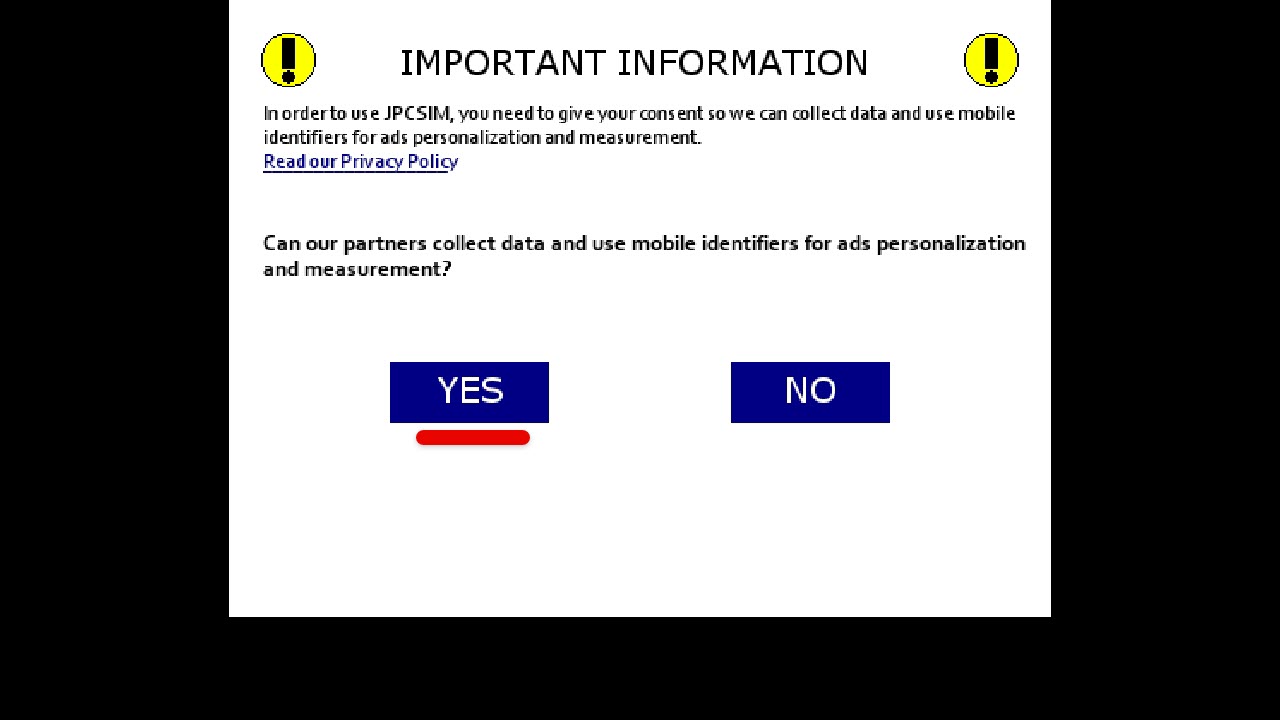
Important Information

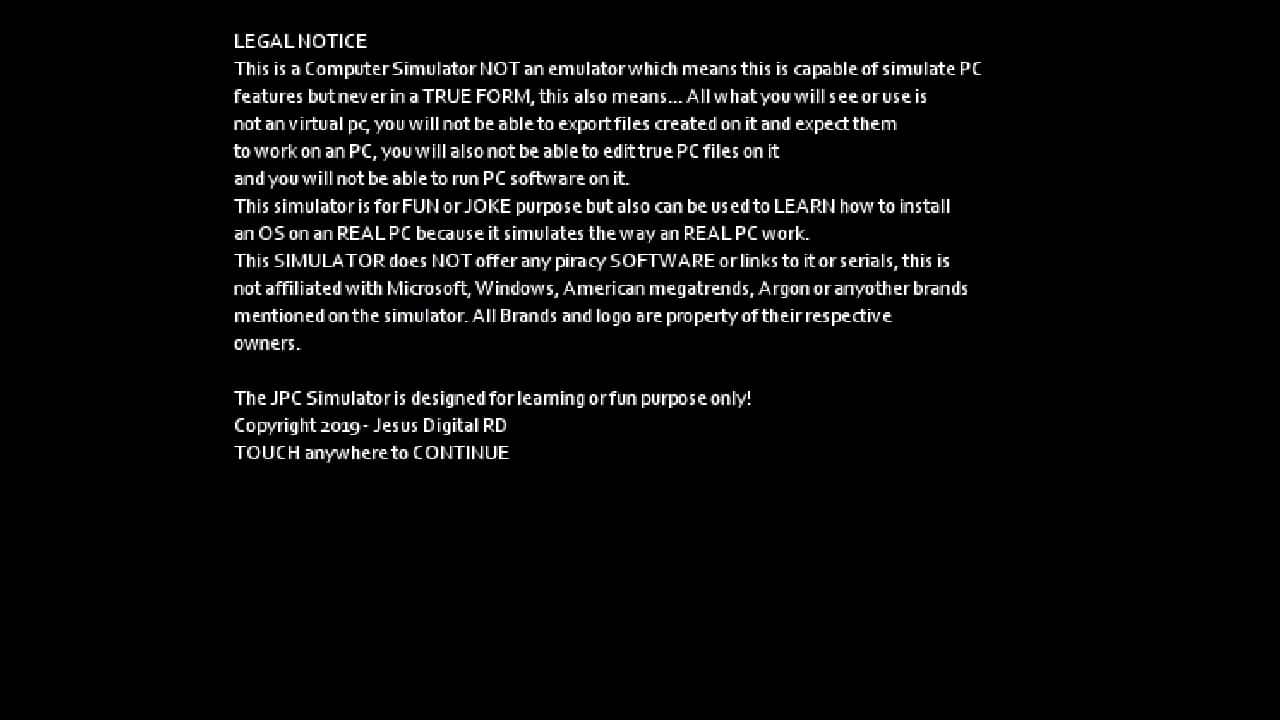
Next up, tap somewhere to continue.

Legal Notice
Legal Notice

Now tap somewhere on the screen to continue.
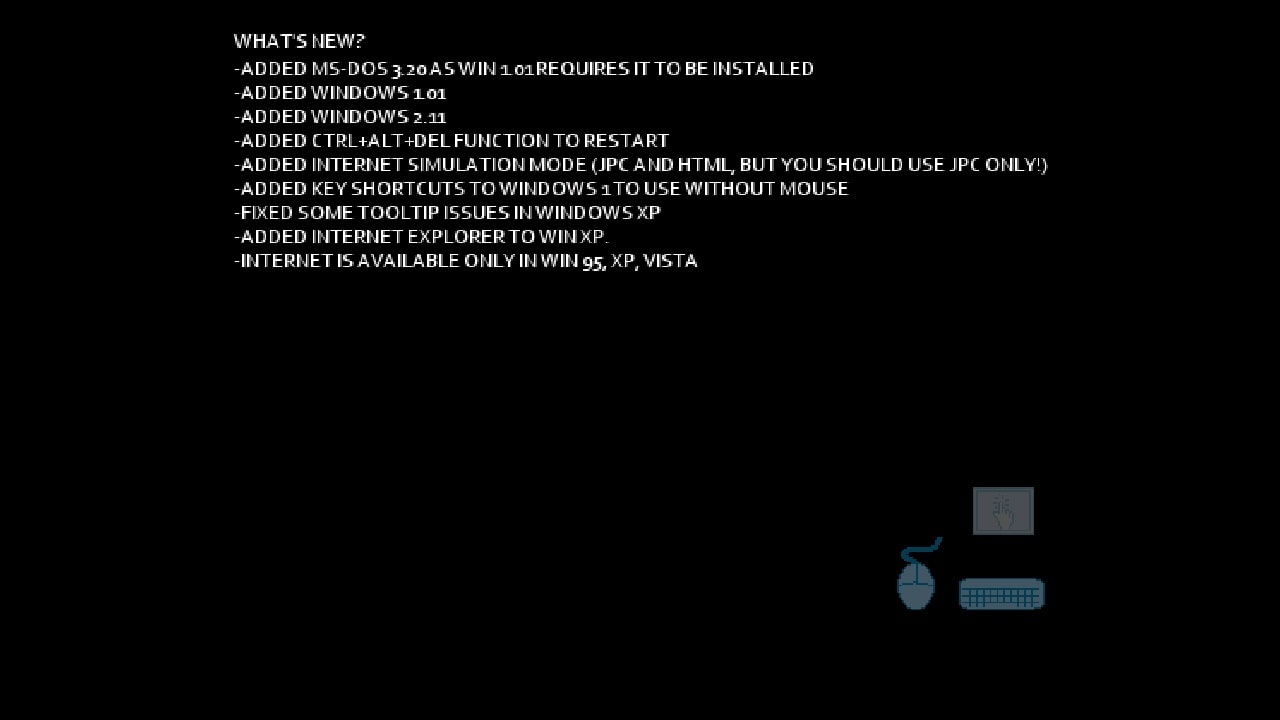
Info
Info

In this step, change the Windows version by tapping on the side button, so when Windows 10 appears, click on Start.
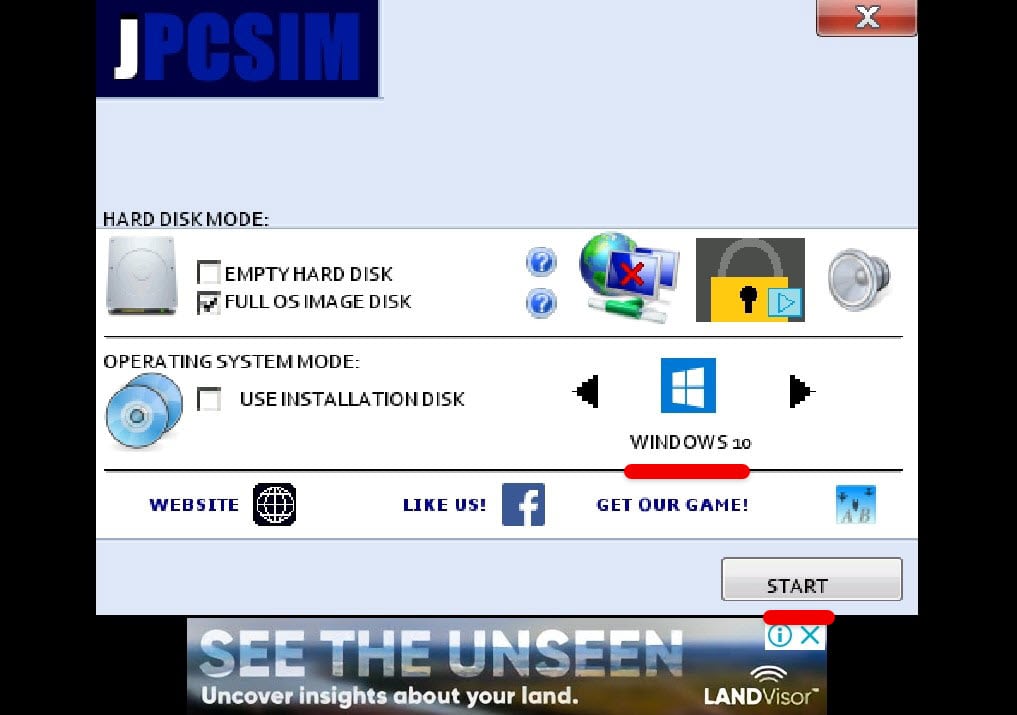
Choose Windows Version

This will begin loading Windows 10 so it will take a while.

Once it’s finished, you’ll see Windows 10 booting and then signing into Android account so it will appear on desktop. For mouse 🖱 to work, simply click on the mouse icon first then start moving the mouse.
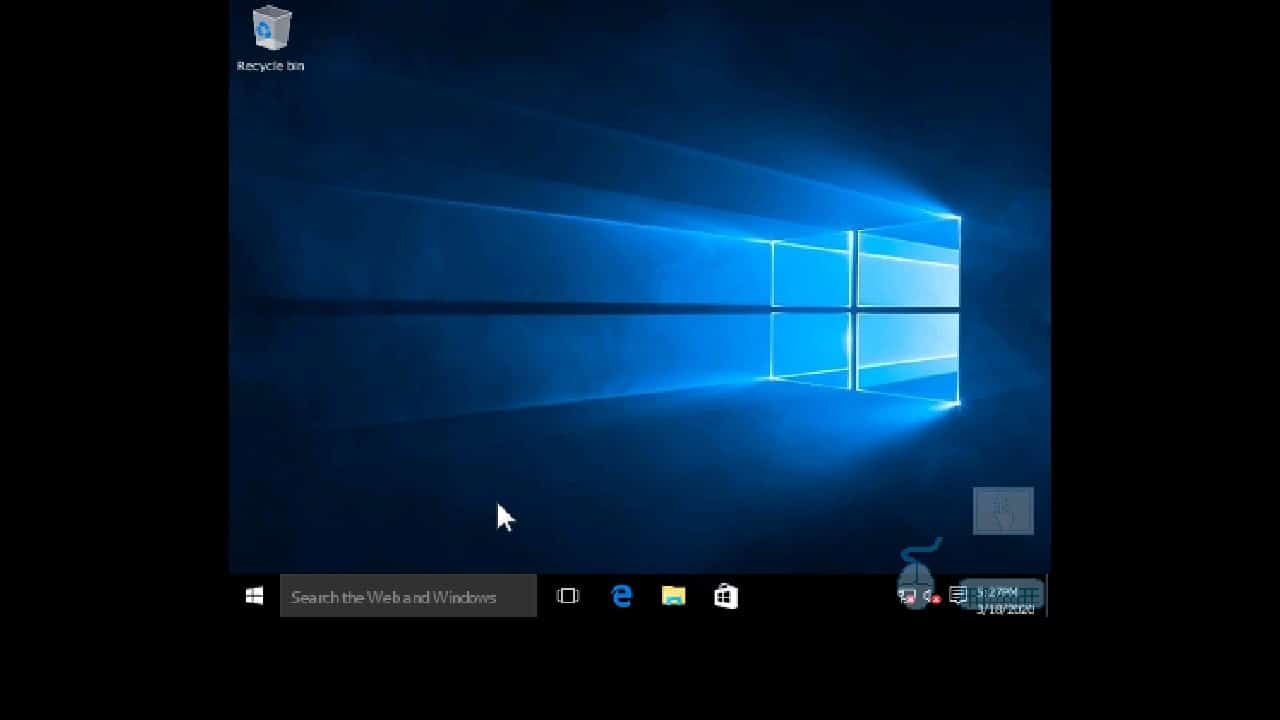
Windows 10 Running on Android

That comes to the end of this tutorial. The Windows 10 is now running on Android without root and without computer. There’s no need of those. In terms of functionality, if you’re curious, it works super well but can’t do heavy tasks, so it works great for surfing and trying out. To close this, simply press the home button so it will be out.

That’s it. If there’s something remaining or would like to add, suggest or give us some idea, we’re happy to know.

Tags: 10installInstall WindowsInstall Windows 10Install Windows 10 onInstall Windows 10 on AndroidInstall Windows on AndroidWindowsWindows 10Windows on Android
Previous Post

How to Shut Down Windows At a Specific Time

Next Post

How to Download Audio/Videos Online on Android

Ali

Ali

Next Post

How to Download Audio/Videos Online on Android

Comments 3

  1. Vj says:
    5 years ago

    Wow I followed your directions and screen shots were exactly as shown. Viola I now have windows 10 on my acer tablet. Thank you for your advice.
    I am waiting to upgrade windows 11 on my new Hp laptop I got for my online courses. Keep on doing your best.
    Toronto On Canada 🇨🇦

    Reply
  2. jerry says:
    5 years ago

    Will this work for the new thesettlersonline client version browser as of 12/18/2020.

    Reply
    • Ali Nazarii says:
      5 years ago

      It will allow you to connect, but bandwidth will likely be an issue. So, possibly slow game play

      Reply

Leave a Reply Cancel reply

Your email address will not be published. Required fields are marked *

No Result
View All Result

Recent Articles

  • Best Way to Download macOS Big Sur ISO Image (Latest Version: 11.7.11)
  • Download macOS Big Sur DMG File (Latest Version: 11.7.11)
  • macOS Big Sur Download VMDK File | (Latest Version: 11.7.11)
  • Download macOS Tahoe VMDK File for VMware – Latest Version 26.4
  • Download macOS Tahoe DMG: Direct Download Links
  • Download macOS Tahoe ISO for VirtualBox and VMware: Direct Download
  • Download macOS Sequoia ISO file (Latest Version: 15.7.4)
  • Download macOS Sequoia VMDK File (Latest Version: 15.7.4)
  • Download macOS Sequoia DMG file (Latest Version: 15.7.4)
  • Download macOS Sonoma DMG File (Latest Version: 14.8.4)
Facebook Twitter Youtube

Browse by Category

  • Android (15)
  • Discord (4)
  • Downloads (17)
  • Featured (8)
  • Internet (73)
  • iOS (16)
  • Linux (10)
  • Mac (150)
  • Virtual Machine (31)
  • VirtualBox (81)
  • VMware (67)
  • Windows (82)

Downloads

Download macOS DMG
Download macOS ISO
Download macOS VMDK
Download Windows ISO

GEEKrar

We are a team of skilled writers, editors and tech enthusiasts that help you how to get tech into work, pros and cons, explain hows and whys, hacks, and fixes of new modern tech.

© 2026 geekRAR.com

We use cookies on our website to give you the most relevant experience by remembering your preferences and repeat visits. By clicking “Accept”, you consent to the use of ALL the cookies.
Do not sell my personal information.
Cookie settingsACCEPT
Manage consent

Privacy Overview

This website uses cookies to improve your experience while you navigate through the website. Out of these, the cookies that are categorized as necessary are stored on your browser as they are essential for the working of basic functionalities of the website. We also use third-party cookies that help us analyze and understand how you use this website. These cookies will be stored in your browser only with your consent. You also have the option to opt-out of these cookies. But opting out of some of these cookies may affect your browsing experience.
Necessary
Always Enabled
Necessary cookies are absolutely essential for the website to function properly. This category only includes cookies that ensures basic functionalities and security features of the website. These cookies do not store any personal information.
Non-necessary
Any cookies that may not be particularly necessary for the website to function and is used specifically to collect user personal data via analytics, ads, other embedded contents are termed as non-necessary cookies. It is mandatory to procure user consent prior to running these cookies on your website.
SAVE & ACCEPT
No Result
View All Result

© 2026 geekRAR.com

Go to mobile version