• Home
  • MAC
  • Virtual Machines
    • VMware
    • VirtualBox
  • Windows
  • Linux
  • Downloads
    • ISO Files
      • Open Mamba ISO
      • AnduinOS ISO
      • Windows 7 ISO
      • Windows 11 ISO
    • macOS DMG
    • macOS ISO
    • macOS VMDK
    • VMware Workstation Pro
    • macOS Unlocker
    • DirectX 12
    • MSI Afterburner
    • Hyper-V Server 2019
  • Others
    • Android
    • Discord
    • iOS
    • Internet
GEEKrar
  • Home
  • MAC
  • Virtual Machines
    • VMware
    • VirtualBox
  • Windows
  • Linux
  • Downloads
    • ISO Files
      • Open Mamba ISO
      • AnduinOS ISO
      • Windows 7 ISO
      • Windows 11 ISO
    • macOS DMG
    • macOS ISO
    • macOS VMDK
    • VMware Workstation Pro
    • macOS Unlocker
    • DirectX 12
    • MSI Afterburner
    • Hyper-V Server 2019
  • Others
    • Android
    • Discord
    • iOS
    • Internet
No Result
View All Result
  • Home
  • MAC
  • Virtual Machines
    • VMware
    • VirtualBox
  • Windows
  • Linux
  • Downloads
    • ISO Files
      • Open Mamba ISO
      • AnduinOS ISO
      • Windows 7 ISO
      • Windows 11 ISO
    • macOS DMG
    • macOS ISO
    • macOS VMDK
    • VMware Workstation Pro
    • macOS Unlocker
    • DirectX 12
    • MSI Afterburner
    • Hyper-V Server 2019
  • Others
    • Android
    • Discord
    • iOS
    • Internet
No Result
View All Result
GEEKrar
No Result
View All Result
Home Mac

macOS Catalina Download 10.15 ISO | Direct Links (2025 Update)

GEEKrar by GEEKrar
July 16, 2025
in Mac
3
macOS Catalina Download 10.15 ISO
3.9k
SHARES
55.1k
VIEWS
Share on TwitterShare on Facebook

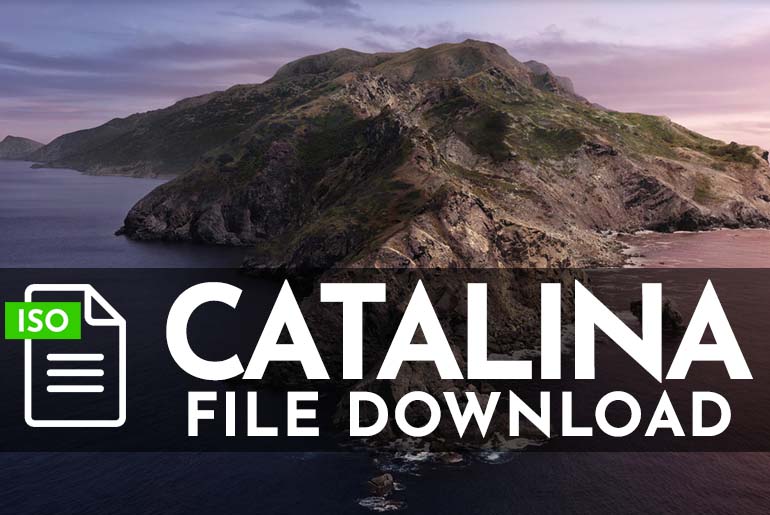
This post will guide you to Quickly Get macOS Catalina Download 10.15 ISO from three different sources. The ISO file format allows users to quickly burn the image on a disk, upload it for future use, or even run the macOS Catalina Download ISO in VirtualBox or VMware.

  • Related: Updated Video – How to Install macOS Catalina on VMware

Table of Contents

  • Background and Details
  • What is an ISO file?
  • macOS Catalina Download 10.15 ISO Links
    • Helpful Tools & Methods
    • Virtual Machines & macOS Catalina: Download ISO File
  • Video: Install macOS Catalina on VMware

Background and Details

To get the macOS Catalina Download 10.15 ISO, you will need at least 8.7GB of disk space since the macOS Catalina ISO file is exactly 8,704,00 KB. If you do not have enough disk space, you can save it on popular platforms like Google Drive or Mega. The links that we are providing below have been tested and do not contain any viruses.

To be clear, macOS Catalina Download ISO version 10.15 can be downloaded directly from Apple. However, most users find that it is in the DMG format and must be converted using a tool like Ampare if you want an ISO image. To save you time and effort, we and some groups we know have already done this for you.
Different providers host each download ISO link. Depending on the country you are in or the internet connection you have, you may find one of the services more reliable than another.

What is an ISO file?

The file type, ISO, was taken from the name of the file system used by the optical media standard 9660. The idea behind the ISO image is to make a complete copy of everything stored on a physical optical disc, like a compact disc, and it contains the file system. The ISO image is a sector-by-sector copy of the disc, with no compression. Most operating systems allow you to mount an ISO image as a virtual disc. This will make the image appear and function as a real optical disc. ISO images are used to archive an exact digital copy of a disc. Later, that image can be burned to a new disc, which is an exact copy of the original.

While many people use ISO images to create backups of their optical discs or files, ISO images these days are a primary method to distribute large programs and operating systems. ISO images contain many files and folders in one easily downloadable file. This format gives people many options to mount that image, extract files, or burn an optical disc.

macOS Catalina Download 10.15 ISO Links

Please Note: All image files are created only for educational purposes. We do not take responsibility for any misuse.

  • macOS Catalina Download ISO 10.15.7 via Techrechard (MediaFire)

Looking for other macOS Version ISO files?

You can find all macOS ISO files here.

Helpful Tools & Methods

  • Fix Google Download Limit – If you are downloading from Google Drive and are receiving a ‘quota exceeded’ error, see this article to bypass it.
  • Mega Download Limit Bypass – This method helps free account users bypass the file size download limit. This post goes into detail with each step laid out so you can get the files you really need.
  • Mega Sync – Let’s you start and stop downloads as frequently as you like. Data retention is managed by a folder created on your PC for deleted files allowing you to restore them to the cloud only if needed. This app works on all platforms.

Virtual Machines & macOS Catalina: Download ISO File

Install macOS Catalina on VirtualBox on Windows PC – This article shows a detailed method using the macOS Catalina Download ISO on VirtualBox using a Windows 10 PC. Running macOS Catalina, all the tools and files are included to help you get up and running quickly.

Install macOS Catalina on VMware on Windows PC  – This is another useful article using a different virtualization system called VMware. This is a paid application, and uses the macOS Catalina Download ISO file in a very similar way to VirtualBox, but allows macOS Catalina to run more efficiently.

Video: Install macOS Catalina on VMware

Tags: CatalinamacOSmacOS CatalinaVirtualBoxVMware
Previous Post

Download macOS DMG Installers: All Versions

Next Post

Download macOS Mojave ISO Image for VMware and VirtualBox

GEEKrar

GEEKrar

Next Post
macOS Mojave ISO VirtualBox and VMware

Download macOS Mojave ISO Image for VMware and VirtualBox

Comments 3

  1. Mohsin Jawad says:
    3 years ago

    I am not getting a verification E-mail

    Reply
  2. ARTURO says:
    5 years ago

    PASSWORD PLEASE?

    Reply
    • markunas says:
      5 years ago

      Password for old files is: Geekrar.com
      The G is capitalized. All new files in forum dont have passwords.

      Reply

Leave a Reply Cancel reply

Your email address will not be published. Required fields are marked *

No Result
View All Result

Recent Articles

  • Why Some Security Teams Are Looking Beyond VDI for Safe Remote Access
  • Specialized IT Solutions for Architecture Companies: Why Your Firm Needs Them
  • How to Stop Medical Bills From Piling Up After a Car Accident
  • Download Tiny10 ISO for Windows 10 (Complete Guide)
  • Download VMware Workstation Pro 25H2 (Windows | Linux): Direct Downloads
  • Download macOS Unlocker for VMware Workstation Pro 25H2 | Old Versions Available
  • Download Tiny11 25H2 ISO for Windows 11: Older Verions Available
  • How to Enable Intel VT-x or AMD-V On BIOS or UEFI Firmware
  • How to Dual Boot macOS Catalina & Windows 10 on PC
  • How to Install VMware Tools on Kali Linux
Facebook Twitter Youtube

Browse by Category

  • Android (15)
  • Discord (4)
  • Downloads (17)
  • Featured (8)
  • Internet (66)
  • iOS (16)
  • Linux (10)
  • Mac (151)
  • Virtual Machine (31)
  • VirtualBox (81)
  • VMware (67)
  • Windows (82)

Downloads

Download macOS DMG
Download macOS ISO
Download macOS VMDK
Download Windows ISO

GEEKrar

We are a team of skilled writers, editors and tech enthusiasts that help you how to get tech into work, pros and cons, explain hows and whys, hacks, and fixes of new modern tech.

© 2026 geekRAR.com

We use cookies on our website to give you the most relevant experience by remembering your preferences and repeat visits. By clicking “Accept”, you consent to the use of ALL the cookies.
Do not sell my personal information.
Cookie settingsACCEPT
Manage consent

Privacy Overview

This website uses cookies to improve your experience while you navigate through the website. Out of these, the cookies that are categorized as necessary are stored on your browser as they are essential for the working of basic functionalities of the website. We also use third-party cookies that help us analyze and understand how you use this website. These cookies will be stored in your browser only with your consent. You also have the option to opt-out of these cookies. But opting out of some of these cookies may affect your browsing experience.
Necessary
Always Enabled
Necessary cookies are absolutely essential for the website to function properly. This category only includes cookies that ensures basic functionalities and security features of the website. These cookies do not store any personal information.
Non-necessary
Any cookies that may not be particularly necessary for the website to function and is used specifically to collect user personal data via analytics, ads, other embedded contents are termed as non-necessary cookies. It is mandatory to procure user consent prior to running these cookies on your website.
SAVE & ACCEPT
No Result
View All Result

© 2026 geekRAR.com

Go to mobile version