
• Home
  • MAC
  • Virtual Machines
    • VMware
    • VirtualBox
  • Windows
  • Linux
  • Downloads
    • ISO Files
      • Open Mamba ISO
      • AnduinOS ISO
      • Windows 7 ISO
      • Windows 11 ISO
    • macOS DMG
    • macOS ISO
    • macOS VMDK
    • VMware Workstation Pro
    • macOS Unlocker
    • DirectX 12
    • MSI Afterburner
    • Hyper-V Server 2019
  • Others
    • Android
    • Discord
    • iOS
    • Internet
GEEKrar
  • Home
  • MAC
  • Virtual Machines
    • VMware
    • VirtualBox
  • Windows
  • Linux
  • Downloads
    • ISO Files
      • Open Mamba ISO
      • AnduinOS ISO
      • Windows 7 ISO
      • Windows 11 ISO
    • macOS DMG
    • macOS ISO
    • macOS VMDK
    • VMware Workstation Pro
    • macOS Unlocker
    • DirectX 12
    • MSI Afterburner
    • Hyper-V Server 2019
  • Others
    • Android
    • Discord
    • iOS
    • Internet
No Result
View All Result
GEEKrar
No Result
View All Result
Home Mac

How to Completely Remove VirtualBox on Mac? 2 Easy Methods

Ruby Singh by Ruby Singh
May 28, 2025
in Mac
0
How to Completely Remove VirtualBox on Mac? 2 Easy Methods
60
SHARES
862
VIEWS
Share on TwitterShare on Facebook

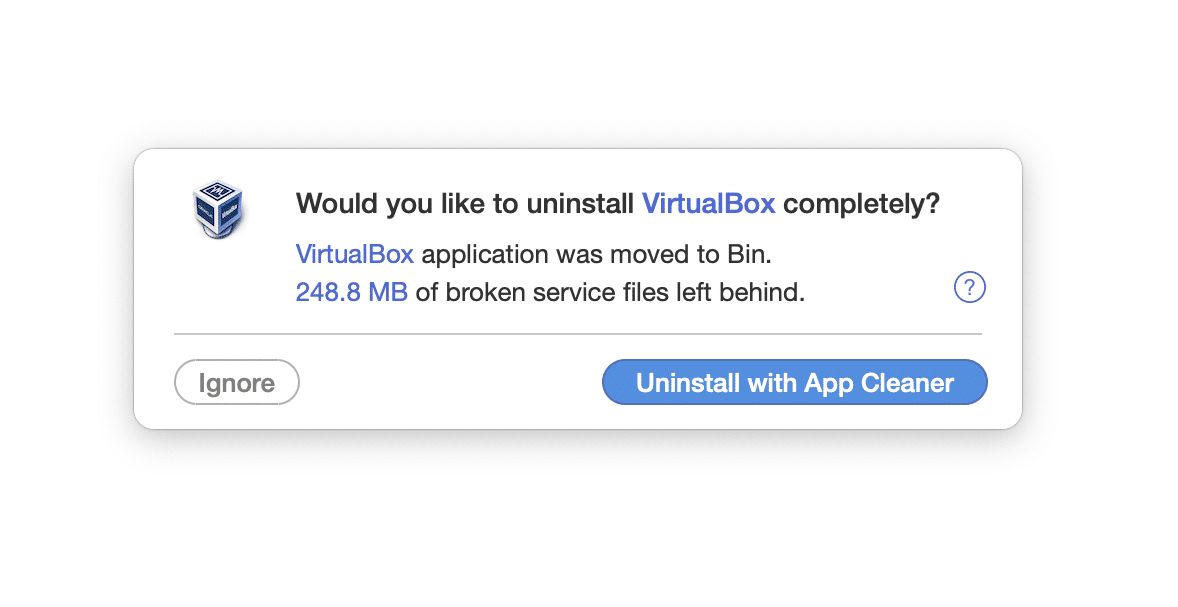
If you’ve previously installed VirtualBox on your Mac, but you don’t need the program anymore, you can completely remove VirtualBox from your computer. VirtualBox items are stored in the macOS file system, so this program is not removed like the rest. By simply dragging the app file to trash seems to be tricky. Some of its components hide in the system or cannot be effectively deleted. So, what is the best way to Completely Remove VirtualBox on Mac?

How to Install VirtualBox 6.1 on Windows 10

How to Completely Remove VirtualBox on Mac?

Fortunately, the process is still quite simple and takes a little time. We will also talk about how VirtualBox is manually deleted, which is a little more complicated.

VirtualBox is a great program for advanced users that serves to run third-party operating systems on top of macOS if you don’t know. It could be Windows 10 or Ubuntu Linux. The program is available for multiple platforms, so you can run and MacOS on top of Windows and the like.

Fix Mouse & Keyboard Lagging on macOS on VMware & VirtualBox

Most Linux users can completely remove VirtualBox with a simple command:

sudo apt-get purge virtualbox*

On Mac, however, VirtualBox is usually installed through an installer. Fortunately, there is a script to completely remove VirtualBox.

Table of Contents

  • How to Completely remove VirtualBox from your Mac?
  • How to Completely Remove VirtualBox manually?
  • Video: How to Completely Remove VirtualBox on Mac

How to Completely remove VirtualBox from your Mac?

  • Download the latest version of the VirtualBox installer if you don’t have one.
  • Mount the VirtualBox image and open dmg through Finder.
  • Double-click the text document “VirtualBox_Uninstall.tool” to open it in the Terminal window.
  • Confirm the complete removal of VirtualBox by printing “yes.” You can undo the action by printing “no” or closing the Terminal window.

When all VirtualBox items are removed, you can close the Terminal window.

There may be times when the VirtualBox is not completely removed from the system. So the best possible way would be to completely remove VirtualBox manually.

How to Enable Dark Mode on Mojave on VMware or VirtualBox

How to Completely Remove VirtualBox manually?

If you prefer to do everything manually, you can find the exact location of all Directories, components, files and VirtualBox extensions and delete them separately.

Here’s a list of VirtualBox file locations:

~/Library/LaunchAgents/org.virtualbox.vboxwebsrv.plist
/usr/local/bin/VirtualBox
/usr/local/bin/VBoxManage
/usr/local/bin/VBoxVRDP
/usr/local/bin/VBoxHeadless
/usr/local/bin/vboxwebsrv
/usr/local/bin/VBoxBugReport
/usr/local/bin/VBoxBalloonCtrl
/usr/local/bin/VBoxAutostart
/usr/local/bin/VBoxDTrace
/usr/local/bin/vbox-img
/Library/LaunchDaemons/org.virtualbox.startup.plist
/Library/Python/2.7/site-packages/vboxapi/VirtualBox_constants.py
/Library/Python/2.7/site-packages/vboxapi/VirtualBox_constants.pyc
/Library/Python/2.7/site-packages/vboxapi/__init__.py
/Library/Python/2.7/site-packages/vboxapi/__init__.pyc
/Library/Python/2.7/site-packages/vboxapi-1.0-py2.7.egg-info
/Library/Application Support/VirtualBox/LaunchDaemons/
/Library/Application Support/VirtualBox/VBoxDrv.kext/
/Library/Application Support/VirtualBox/VBoxUSB.kext/
/Library/Application Support/VirtualBox/VBoxNetFlt.kext/
/Library/Application Support/VirtualBox/VBoxNetAdp.kext/
/Applications/VirtualBox.app/
/Library/Python/2.7/site-packages/vboxapi/
org.virtualbox.kext.VBoxUSB
org.virtualbox.kext.VBoxNetFlt
org.virtualbox.kext.VBoxNetAdp
org.virtualbox.kext.VBoxDrv
org.virtualbox.pkg.vboxkexts
org.virtualbox.pkg.virtualbox
org.virtualbox.pkg.virtualboxcli

The easiest way to find and delete files is through Terminal, but you can also do so through Finder.

How to Take and Use Snapshots on VirtualBox
Video: How to Completely Remove VirtualBox on Mac

Previous Post

How to Create macOS Mojave USB Installer on Windows – Hackintosh

Next Post

How to Fix VMware Unrecoverable Error on macOS

Ruby Singh

Ruby Singh

Next Post
VMware Unrecoverable Error

How to Fix VMware Unrecoverable Error on macOS

Leave a Reply Cancel reply

Your email address will not be published. Required fields are marked *

No Result
View All Result

Recent Articles

  • Download macOS Golden Gate Wallpaper (Official & High-Resolution)
  • Download macOS Golden Gate Installer: How to Install?
  • Download macOS Golden Gate ISO for VMware
  • Download macOS Golden Gate DMG for Clean Installation
  • Download Tiny11 26H1 ISO for Windows 11: Older Versions Available
  • Download VMware Workstation Pro 26H1 (Windows | Linux): Direct Downloads
  • Download macOS Unlocker for VMware Workstation Pro 26H1 | Old Versions Available
  • Best Way to Download macOS Big Sur ISO Image (Latest Version: 11.7.11)
  • Download macOS Big Sur DMG File (Latest Version: 11.7.11)
  • macOS Big Sur Download VMDK File | (Latest Version: 11.7.11)
Facebook Twitter Youtube

Browse by Category

  • Android (15)
  • Discord (3)
  • Downloads (17)
  • Featured (7)
  • Internet (58)
  • iOS (16)
  • Linux (10)
  • Mac (153)
  • Virtual Machine (31)
  • VirtualBox (81)
  • VMware (68)
  • Windows (80)

Downloads

Download macOS DMG
Download macOS ISO
Download macOS VMDK
Download Windows ISO

GEEKrar

We are a team of skilled writers, editors and tech enthusiasts that help you how to get tech into work, pros and cons, explain hows and whys, hacks, and fixes of new modern tech.

© 2026 geekRAR.com

We use cookies on our website to give you the most relevant experience by remembering your preferences and repeat visits. By clicking “Accept”, you consent to the use of ALL the cookies.
Do not sell my personal information.
Cookie settingsACCEPT
Manage consent

Privacy Overview

This website uses cookies to improve your experience while you navigate through the website. Out of these, the cookies that are categorized as necessary are stored on your browser as they are essential for the working of basic functionalities of the website. We also use third-party cookies that help us analyze and understand how you use this website. These cookies will be stored in your browser only with your consent. You also have the option to opt-out of these cookies. But opting out of some of these cookies may affect your browsing experience.
Necessary
Always Enabled
Necessary cookies are absolutely essential for the website to function properly. This category only includes cookies that ensures basic functionalities and security features of the website. These cookies do not store any personal information.
Non-necessary
Any cookies that may not be particularly necessary for the website to function and is used specifically to collect user personal data via analytics, ads, other embedded contents are termed as non-necessary cookies. It is mandatory to procure user consent prior to running these cookies on your website.
SAVE & ACCEPT
No Result
View All Result

© 2026 geekRAR.com

Go to mobile version