
• Home
  • MAC
  • Virtual Machines
    • VMware
    • VirtualBox
  • Windows
  • Linux
  • Downloads
    • ISO Files
      • Open Mamba ISO
      • AnduinOS ISO
      • Windows 7 ISO
      • Windows 11 ISO
    • macOS DMG
    • macOS ISO
    • macOS VMDK
    • VMware Workstation Pro
    • macOS Unlocker
    • DirectX 12
    • MSI Afterburner
    • Hyper-V Server 2019
  • Others
    • Android
    • Discord
    • iOS
    • Internet
GEEKrar
  • Home
  • MAC
  • Virtual Machines
    • VMware
    • VirtualBox
  • Windows
  • Linux
  • Downloads
    • ISO Files
      • Open Mamba ISO
      • AnduinOS ISO
      • Windows 7 ISO
      • Windows 11 ISO
    • macOS DMG
    • macOS ISO
    • macOS VMDK
    • VMware Workstation Pro
    • macOS Unlocker
    • DirectX 12
    • MSI Afterburner
    • Hyper-V Server 2019
  • Others
    • Android
    • Discord
    • iOS
    • Internet
No Result
View All Result
  • Home
  • MAC
  • Virtual Machines
    • VMware
    • VirtualBox
  • Windows
  • Linux
  • Downloads
    • ISO Files
      • Open Mamba ISO
      • AnduinOS ISO
      • Windows 7 ISO
      • Windows 11 ISO
    • macOS DMG
    • macOS ISO
    • macOS VMDK
    • VMware Workstation Pro
    • macOS Unlocker
    • DirectX 12
    • MSI Afterburner
    • Hyper-V Server 2019
  • Others
    • Android
    • Discord
    • iOS
    • Internet
No Result
View All Result
GEEKrar
No Result
View All Result
Home Windows

Download Windows 11 Build 22000.184 (Beta) available with KB5005642

Ruby Singh by Ruby Singh
May 20, 2025
in Windows
2
Download Windows 11 Build 22000.184 (Beta) available with KB5005642
76
VIEWS
Share on TwitterShare on Facebook

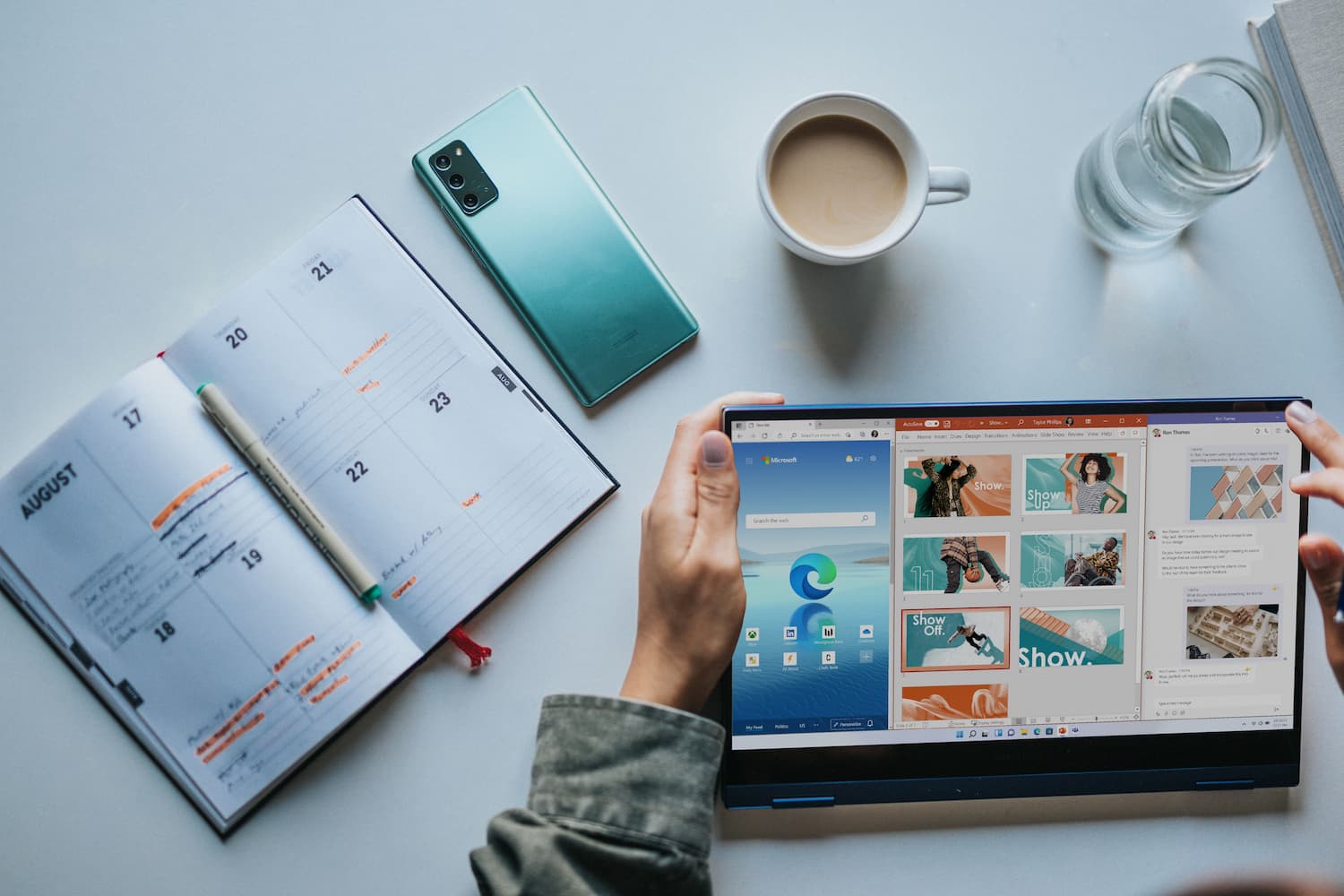
KB5005642 provides a new test build of Windows 11 Insider Preview Build 22000.184 (CO_RELEASE) for Windows Insider members on the Beta update channel.

Windows 11 Insider Preview build 22000.184 – a build that belongs to the development branch of the CO_RELEASE is available to members of the Windows Insider Program on the Beta Channel.Full Build Number: 10.0.22000.184.co_release_svc_im.210901-1745

Table of Contents

      • Windows 11, Version 21H2 (OS Build 22000.184)
    • Microsoft is preparing Windows 11 for release
  • New in Windows 11 build 22000.184
    • Fixed issues:
    • Known issues
    • Install through Windows Update
    • Download update KB5005642
      • Download KB5005642 Windows 11 x64
  • How to install the KB5005642 update manually

Windows 11, Version 21H2 (OS Build 22000.184)

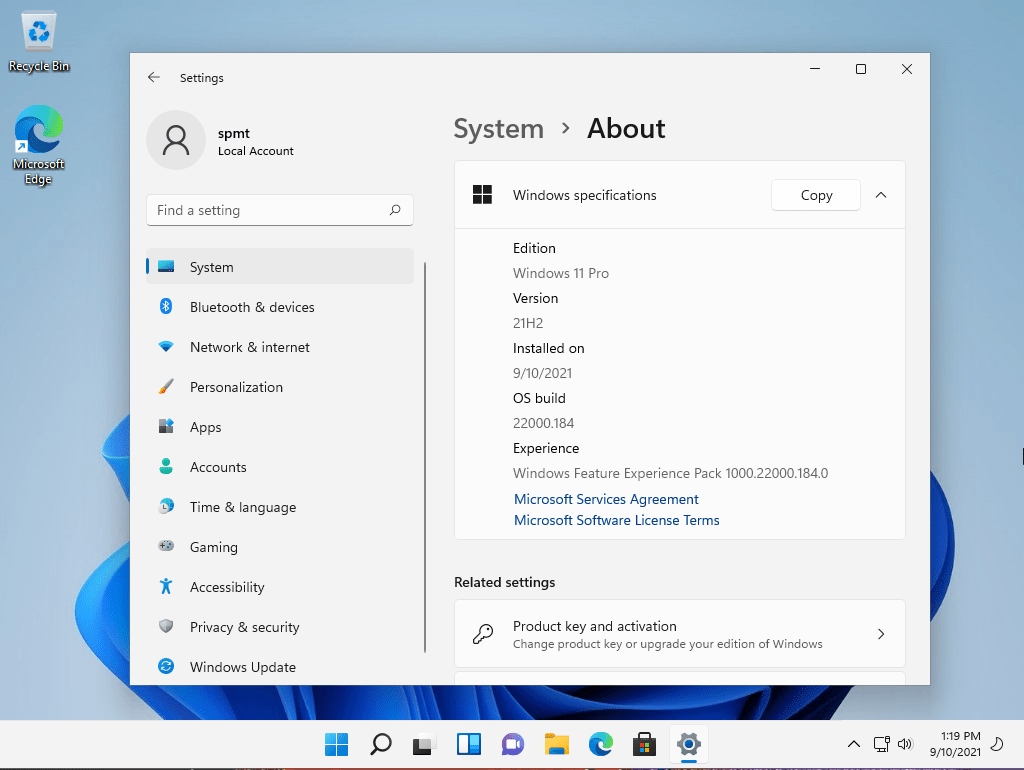
Microsoft is preparing Windows 11 for release

Microsoft has officially announced that Windows 11 will be released on October 5, 2021. From this day on, the new system will be available for free on compatible computers and laptops or purchase a new PC with Windows 11 preinstalled.

The new system has received a seriously redesigned interface design and new functionality,which in the near future will be tested by insiders using preliminary builds of Windows 11 on the Beta channel. Windows 11 is also already available on the Business Preview channel. Most of the changes were added in the first build of Windows 11 Insider Preview,however Microsoft has postponed support for Android apps in Windows 11 to 2022.
New in Windows 11 build 22000.184

Fixed issues:

  • Fixed an issue where new additional information about Windows Hello was not translated for languages other than English during the final setup of Windows when the installation was complete.
  • Fixed an issue where a small set of languages did not have translations in the Windows 11 user interface.

Known issues

  • On the beta channel, after upgrading to Windows 11, insiders do not see the new taskbar and their Start menu does not work. To work around this, try going to Windows Update > Update History and uninstalling the latest cumulative update for Windows and reinstalling it by checking for updates.
  • Some Surface Pro X devices are checking for errors WHEA_UNCORRECTABLE_ERROR.
  • Start screen:
    • In some cases, you may not be able to enter text when you use search from the Start screen or taskbar. If you’re having a problem, press Win+ R on your keyboard to open the Run dialog box, and then close it.
    • The System and Windows Terminal are missing when you right-click the Start button (WIN + X).
  • Taskbar:
    • The taskbar sometimes flickers when you switch input methods.
  • Search:
    • After you click the search icon on the taskbar, the search bar may not open. In this case, restart the Windows Explorer process and reopen the search bar.
    • The search bar may appear in black and not display any content below the search box.
  • Widgets:
    • The widget board may be empty. To solve this problem, you can log out and then log back in.
    • On external monitors, widgets may display the wrong size. If you encounter this, you can launch the widgets by tapping or shortcuting the WIN+W shortcut menu first on the monitor of your primary device and then run them on additional monitors.
  • Microsoft Store:
    • Work is underway to improve the relevance of search in the Store.
  • Windows Sandbox
    • The language input switch does not start after you click the toggle icon on the taskbar. As a workaround, users can switch the input language using any of the following hardware keyboard shortcuts: Alt + Shift, Ctrl + Shift, or Win + Space (the third option is only available in full-screen mode).
    • The input editor context menu does not start after you click the icon on the taskbar.

A full list of improvements, changes, and known bugs is available in the official announcement on the Microsoft website.

Install through Windows Update

Go to Settings > Windows Update, and then click . You will need to restart your computer to complete the installation.
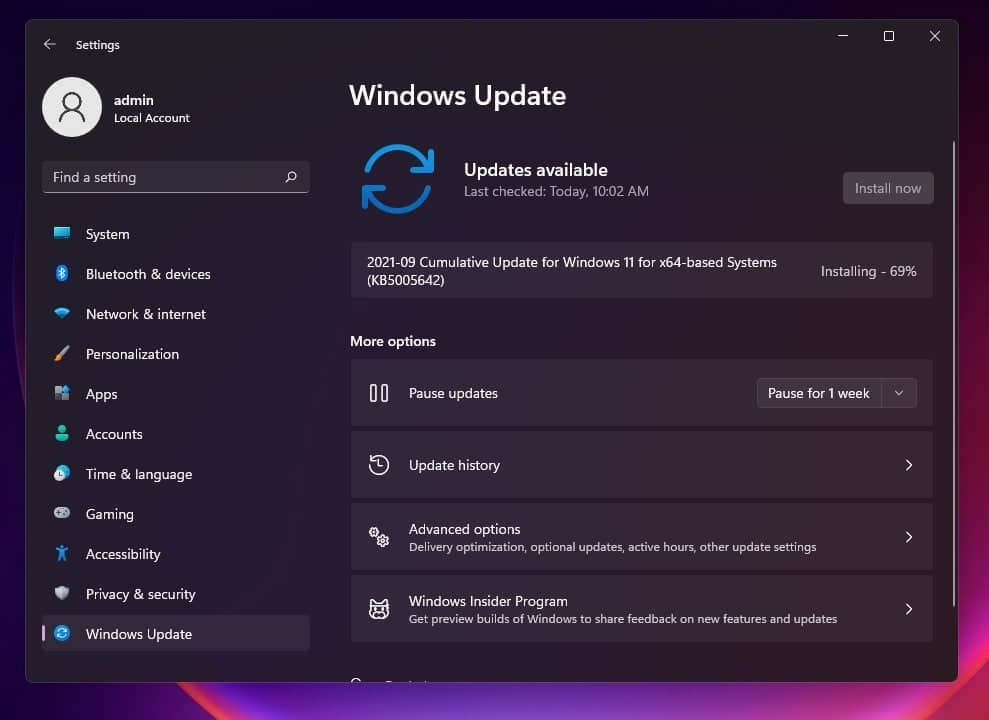
Cumulative Update for Windows 11 for x64-based Systems 2021 09 (KB5005642)

Download update KB5005642

You can download KB5005642 and SSU 22000.132 (without a new version this time) as CAB and PSF files and install them manually from the link below:

Download KB5005642 Windows 11 x64

  • Windows 11 x64 (14.0 MB) [.CAB]
  • Windows 11 x64 (42.9 MB) [.CAB]
  • Windows 11 x64 (111 MB) [.PSF]

How to install the KB5005642 update manually

To manually install the cumulative update:

  • Download the W10UI_10.9.zip archive with the update installer and unpack it.
  • Place all three update files (SSU update, KB5005642 update as CAB and PSF files) for the selected platform in the W10UI_10.9 folder.
  • Run W10UI.cmd as an administrator and press 0 to begin the installation.
  • To complete the installation, you will need to restart the computer (press 9 at the end of the installation).

Previous Post

How to Get Windows 11 Officially

Next Post

New Update: Windows Bloatware Removal

Ruby Singh

Ruby Singh

Next Post
New Update: Windows Bloatware Removal

New Update: Windows Bloatware Removal

Comments 2

  1. huzaifa says:
    5 years ago

    is windows 11 update okay for pirated windows 10 like can i install windows 11 update on to my windows 10 without getting an activate windows banner?

    Reply
    • Ali says:
      5 years ago

      i dont actually know, but now apparently Win10 and Win11 are ‘suppose’ to be free

      Reply

Leave a Reply Cancel reply

Your email address will not be published. Required fields are marked *

No Result
View All Result

Recent Articles

  • Download macOS Golden Gate Wallpaper (Official & High-Resolution)
  • Download macOS Golden Gate Installer: How to Install?
  • Download macOS Golden Gate ISO for VMware
  • Download macOS Golden Gate DMG for Clean Installation
  • Download Tiny11 26H1 ISO for Windows 11: Older Versions Available
  • Download VMware Workstation Pro 26H1 (Windows | Linux): Direct Downloads
  • Download macOS Unlocker for VMware Workstation Pro 26H1 | Old Versions Available
  • Best Way to Download macOS Big Sur ISO Image (Latest Version: 11.7.11)
  • Download macOS Big Sur DMG File (Latest Version: 11.7.11)
  • macOS Big Sur Download VMDK File | (Latest Version: 11.7.11)
Facebook Twitter Youtube

Browse by Category

  • Android (15)
  • Discord (3)
  • Downloads (17)
  • Featured (7)
  • Internet (49)
  • iOS (16)
  • Linux (10)
  • Mac (153)
  • Virtual Machine (31)
  • VirtualBox (81)
  • VMware (68)
  • Windows (80)

Downloads

Download macOS DMG
Download macOS ISO
Download macOS VMDK
Download Windows ISO

GEEKrar

We are a team of skilled writers, editors and tech enthusiasts that help you how to get tech into work, pros and cons, explain hows and whys, hacks, and fixes of new modern tech.

© 2026 geekRAR.com

We use cookies on our website to give you the most relevant experience by remembering your preferences and repeat visits. By clicking “Accept”, you consent to the use of ALL the cookies.
Do not sell my personal information.
Cookie settingsACCEPT
Manage consent

Privacy Overview

This website uses cookies to improve your experience while you navigate through the website. Out of these, the cookies that are categorized as necessary are stored on your browser as they are essential for the working of basic functionalities of the website. We also use third-party cookies that help us analyze and understand how you use this website. These cookies will be stored in your browser only with your consent. You also have the option to opt-out of these cookies. But opting out of some of these cookies may affect your browsing experience.
Necessary
Always Enabled
Necessary cookies are absolutely essential for the website to function properly. This category only includes cookies that ensures basic functionalities and security features of the website. These cookies do not store any personal information.
Non-necessary
Any cookies that may not be particularly necessary for the website to function and is used specifically to collect user personal data via analytics, ads, other embedded contents are termed as non-necessary cookies. It is mandatory to procure user consent prior to running these cookies on your website.
SAVE & ACCEPT
No Result
View All Result

© 2026 geekRAR.com

Go to mobile version